
Location of Estimate Backups
I recommend keeping the backups automatically created (like when exiting HeavyBid) in a separate directory so the manual backups are easily viewed in their own folder. This is easy to set up. First create the folders you want the automatic backup and manual backups stored in. Since this is a backup the location and type of drive can be anything. Local drive, network drive or web storage like Onedrive or Dropbox. Just be sure that the estimator can get to it fast without having to obtain passwords from for example an IT person who is in the Bahamas on vacation.
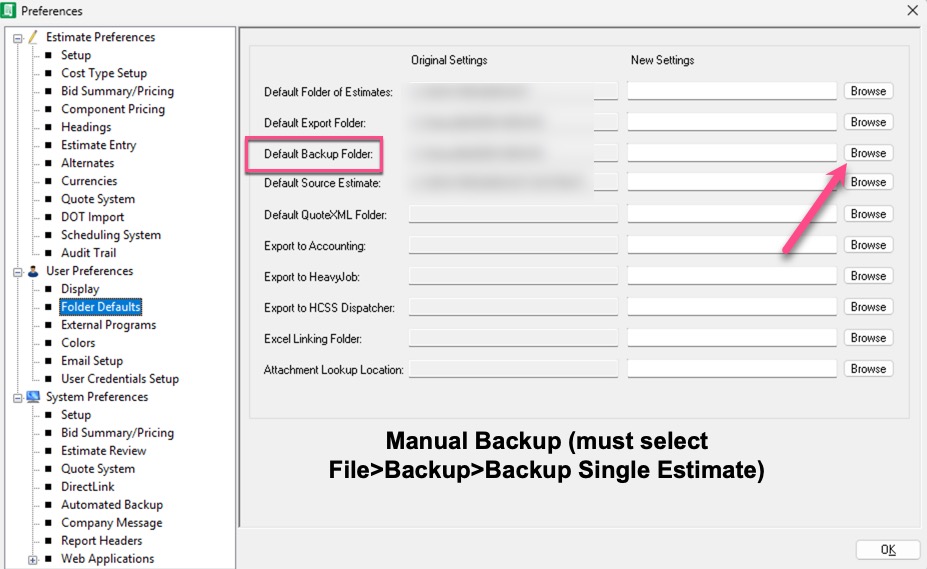
First the manual backups. There are many reasons for creating a manual backup. For example you are going to revise bid item quantities. You will want a backup just in case you want to revert back to the former quantities. Or you just want a daily backup. Then for the manual backup set the path in Tools>Preferences>User Preferences>Program Defaults>Default Backup Folder. Each user (it is user-specific) can have their own folder location, but decide as a company where these backups are going to be stored. I recommend all manual backups be kept in the same folder. I always recommend storing the manual backups in a location other than the server on which HeavyBid runs. If the server is down, you need to get to the backup quickly.
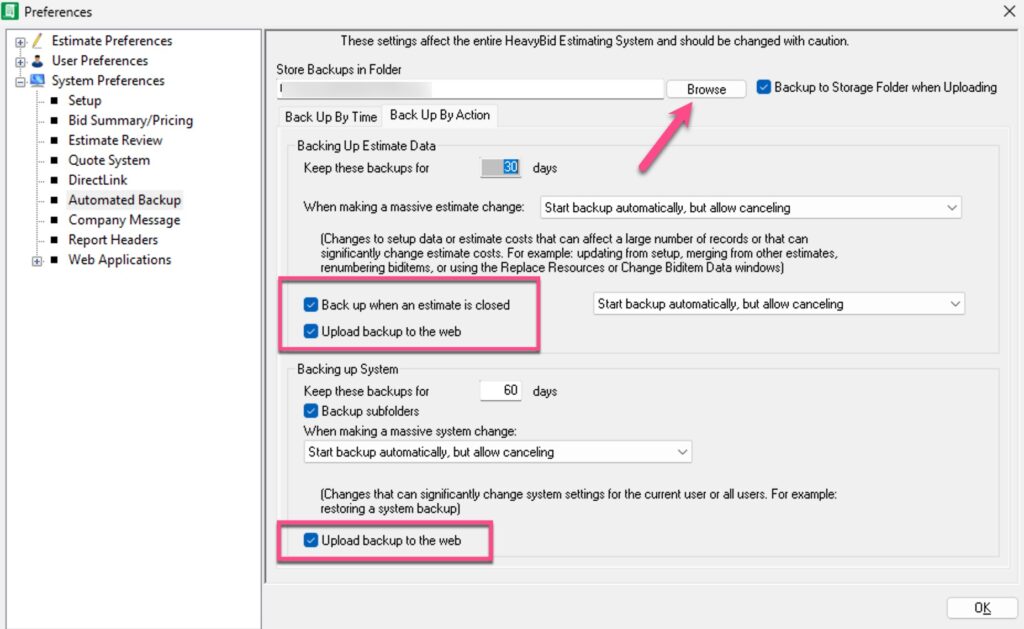
The automatic backup is stored in Tools>Preferences, but it is a system-wide preference, so all users will store their backups in the same place. I will cover why you should check the “Upload backup to the web”


HeavyBid – Basics and Beyond is devoted to everything HCSS HeavyBid and estimating. Updated regularly with helpful insights and tools of the trade, this blog is designed to make your estimating easier and more successful.