
Delete Multiple Resources – Crew & Non-Crew
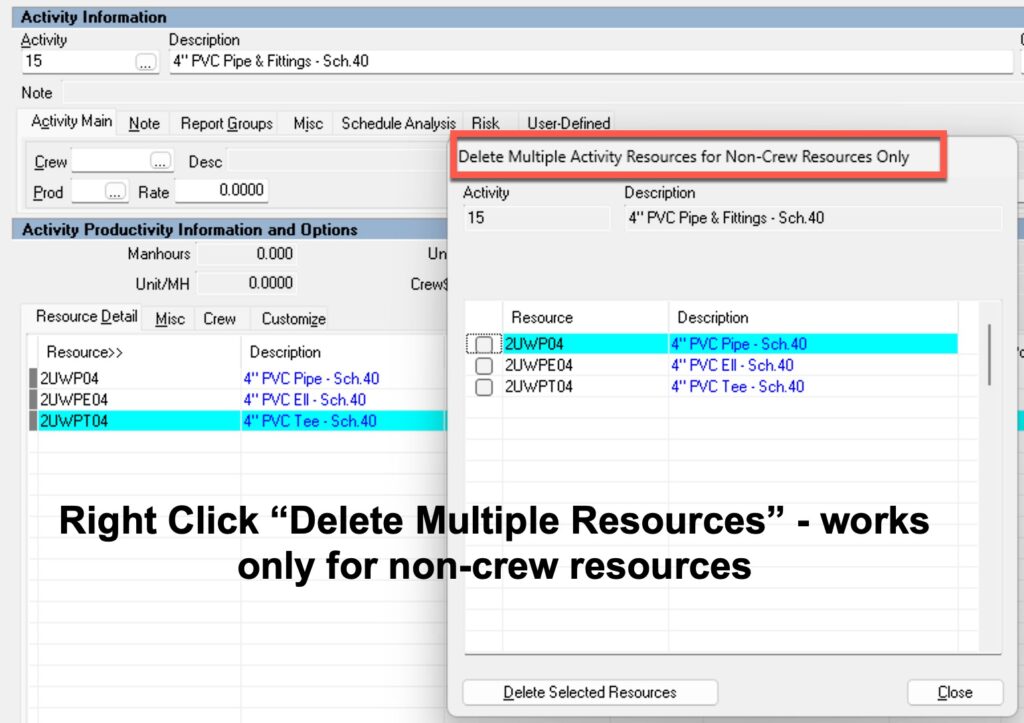
You can right click in Modify Crew Screen and then click the boxes of the labor/equipment to quickly delete multiple resources. The same works in the Tree View in the resource section. Right click and select Delete Multiple Resources and quickly delete many resources. Remember you call also drag and highlight a group of boxes and release the mouse button and you will get a dialog box where all the highlighted boxes can be selected. This works for most areas in HeavyBid where there are choice boxes.
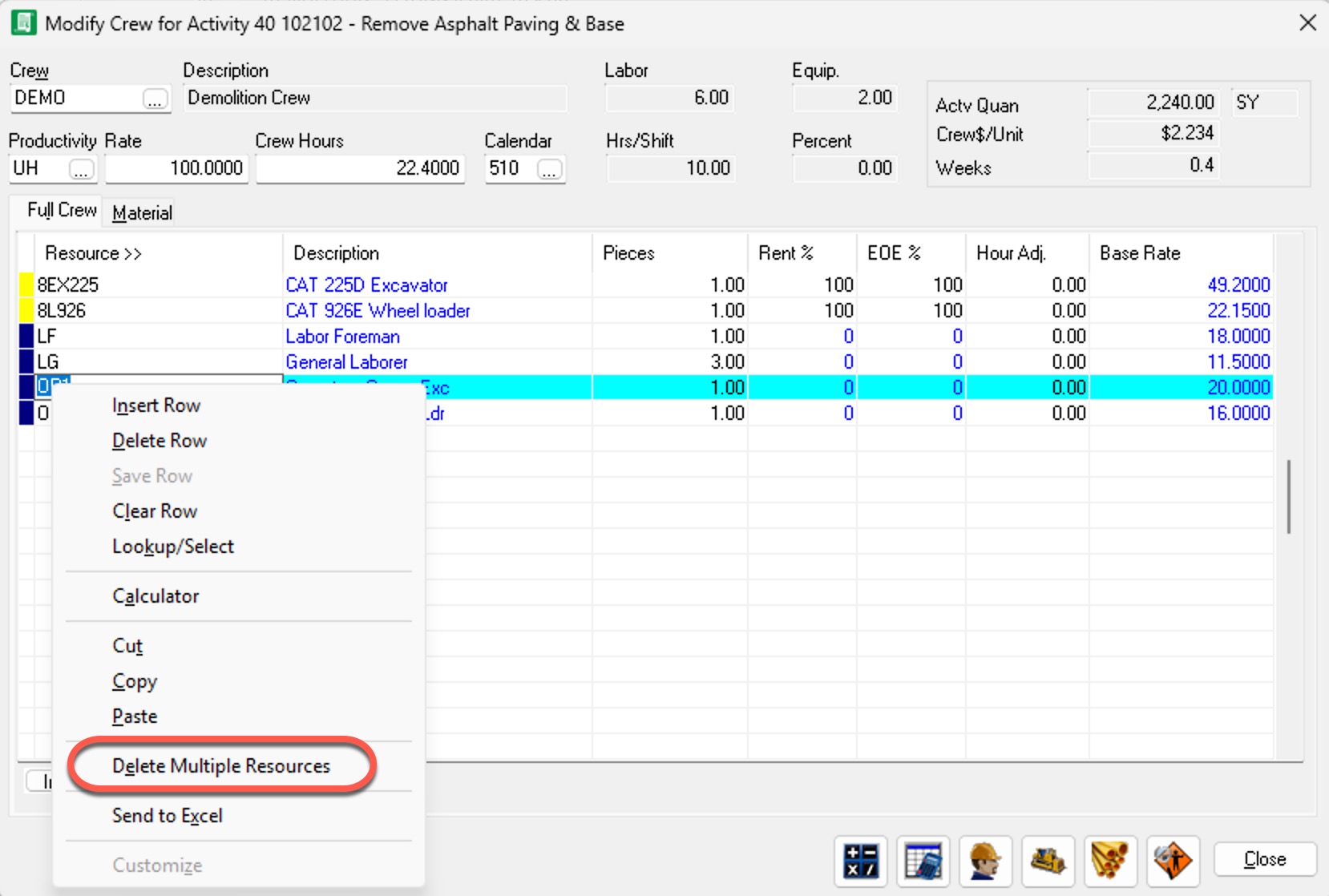
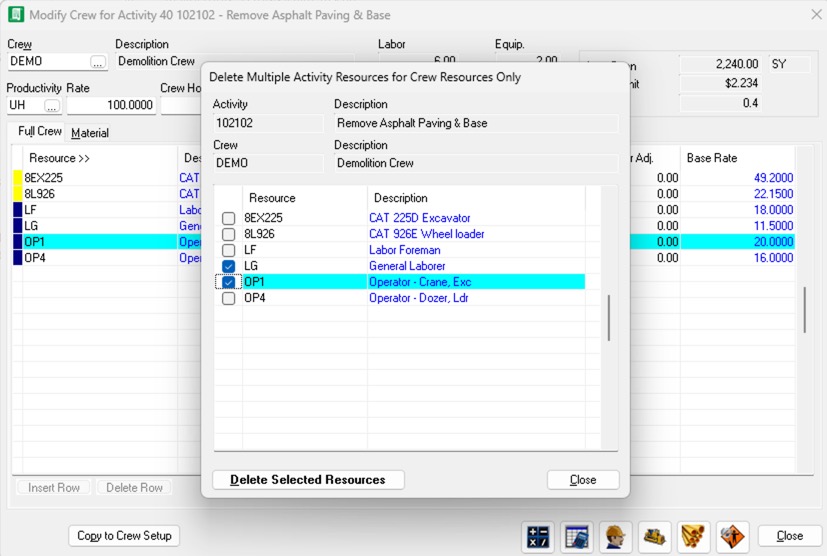
Now you can’t do this in the resource screen in Tree View for the crew resources. Only the non-crew resources but this feature could be useful in some cases.
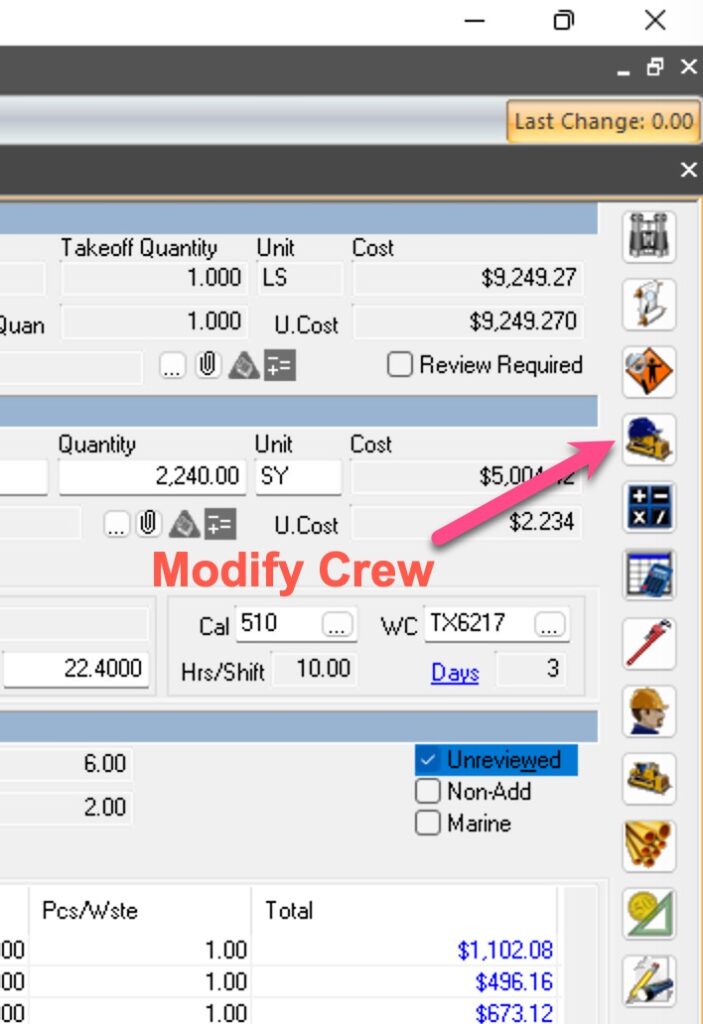
Just a reminder. The “Modify Crew” option is the 4th icon down on the right hand side.

HeavyBid – Basics and Beyond is devoted to everything HCSS HeavyBid and estimating. Updated regularly with helpful insights and tools of the trade, this blog is designed to make your estimating easier and more successful.